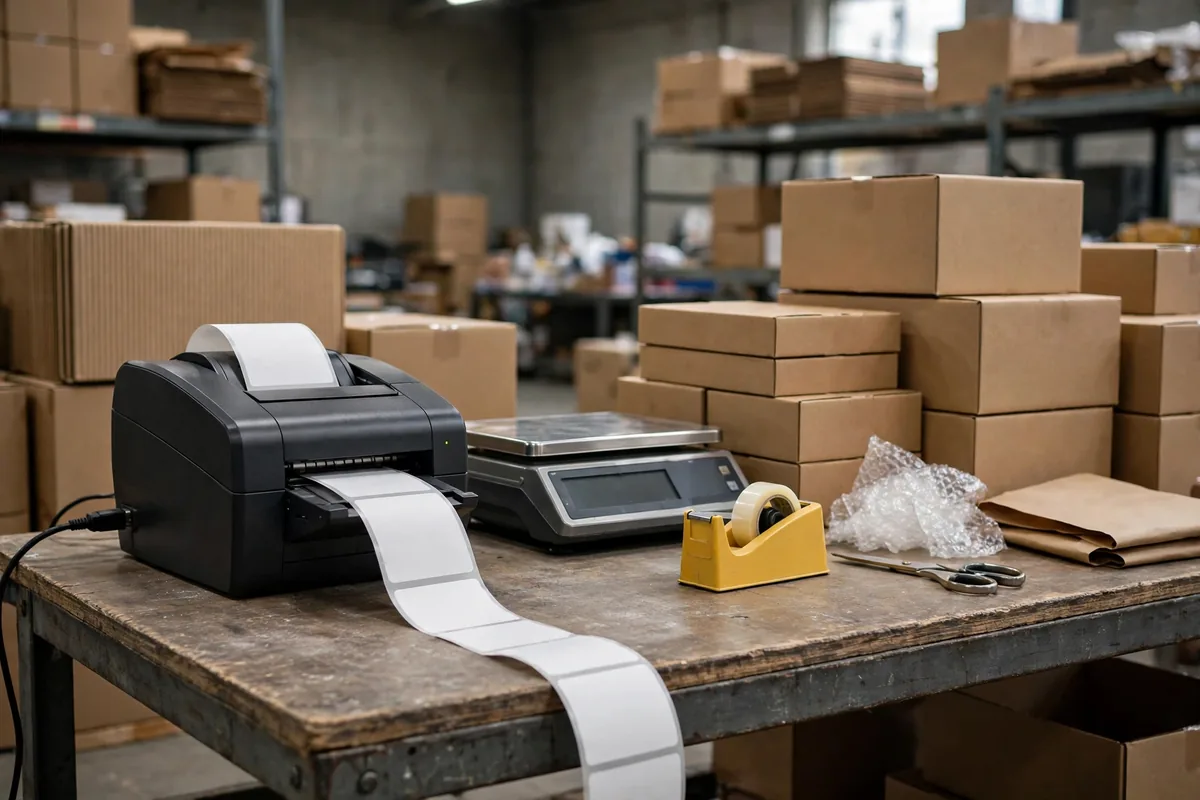
When I started shopping for a small warehouse barcode label printer, I had three machines sitting in my cart and no idea which one deserved my money. That is the honest starting point for most of us running a small warehouse barcode label printer setup on a shoestring. The cheap ones scared me. The expensive ones felt like showing off. It took a jammed printer on my busiest week of the year to teach me the real lesson: the machine is the ticket, but labels and ribbons are the rent you pay every single month.
My warehouse is a little over 3,000 square feet near Eastvale, California. Two of us full time, one temp in peak season, a few hundred orders on a normal day and close to eight hundred when a promotion hits. Rack labels, shipping labels, carton marks, return relabels — everything comes out of one small machine. When it stops, packing stops. It is that simple.
Choosing a small warehouse barcode label printer starts with one question: how long must the label live?
Direct thermal prints by heating coated paper. No ribbon, simple mechanism, fast swaps, perfect for shipping labels that only need to survive a few days in transit. The weakness is lifespan. Heat, sunlight, and friction fade it. Stick a direct thermal rack label on a shelf near a window and by the end of one summer your scanner will stare at it like it is blank.
Thermal transfer uses a ribbon to bake the image onto the label. It costs more per label and ribbon changes are fussier, but the result survives storage, handling, and time. Rack locations, long-life product labels, and cartons that will sit for a year or two belong on thermal transfer, ideally with a durable label stock.
My scrappy solution is a split. Shipping labels run on direct thermal because speed matters and the label dies happy at the customer's door. Rack and long-life labels run on one thermal transfer machine that I fire up once a week for a batch. People ask why I do not just run everything on thermal transfer. Because ninety percent of my volume is short-lived labels, and paying for a two-year lifespan on a label that gets thrown away in four days is not quality. It is just bad household budgeting.
Here is the counterintuitive call most small operators resist: buy direct thermal first. Your long-life printing volume is probably small enough to batch, borrow, or outsource for months. Solve the ninety percent problem first.
The consumables math behind a small warehouse barcode label printer
Everyone compares machine prices down to fifty dollars. Almost nobody models consumables. I did it once and it changed how I buy. The table below is an illustrative example, not a vendor quote. Assume three hundred labels a day, twenty-two working days a month, roughly seventy-nine thousand labels a year.
| Item | Direct thermal (illustrative) | Thermal transfer (illustrative) |
|---|---|---|
| Machine, one time | About $200 | About $350 |
| Label cost each | About $0.02 | About $0.015 |
| Ribbon cost each | $0 | About $0.01 |
| Consumables per year | About $1,600 | About $2,000 |
| Three-year total | About $5,000 | About $6,300 |
The machine price gap that felt huge in the cart is a rounding error over three years. Volume times consumables is the whole game. And there is a hidden line the table misses: jams and reprints. I once bought a no-name machine to save money. In peak week it jammed seven or eight times a day. Each jam meant opening the cover, digging out paper, reprinting, three to five minutes gone. Half an hour of peak-season labor a day buys back the savings in about a week.
Three cheap habits protect the consumables budget. First, standardize label sizes across the whole warehouse; odd sizes cost more and go out of stock. Second, match ribbon width closely to label width, because every extra bit of ribbon is money printed into the trash. Third, do not hoard thermal paper. It ages on the shelf. I once kept a case for a year and it printed gray and washed out, and my scanners hated every label.
Used machines: the bargain that billed me later
In the fall of 2023, a friend running a small warehouse in Ontario bought a used industrial unit for less than half the new price and took me to dinner to celebrate. Within three months he replaced the printhead twice. In his busiest week the machine died outright and he paid rush money for a new one. A printhead is the heart of these machines and the most expensive wear part. With a used unit you have no idea how many miles are on it. It is buying a used car without looking at the odometer.
My own smaller lesson was a used desktop unit that looked nearly new. It only accepted a proprietary core size, so generic label rolls would not fit. Cheap machine, captive consumables, forever. Older machines can also strand you on drivers that no current computer wants to install.
If you still want to buy used, my four rules are simple. Test print fifty labels in a row with no jam and no fuzzy edges before money moves. Ask whether the printhead was replaced and how much volume the machine has run; no answer, no deal. Confirm it takes generic label and ribbon sizes. And hold back the price of one new printhead in your math; if it is still a bargain after that, buy it.
My decision framework is three questions in order. How long must your longest label live? Over six months means thermal transfer must be in the picture. How many labels a day? Higher volume means consumable cost and jam rate matter more than machine price. Who changes the media? The smaller the team, the dumber the machine needs to be; a media swap that takes over a minute is a peak-season disaster.
Small warehouses survive by spending every dollar where it counts. Get the process right, run your own consumables math, and you will not think about this purchase again for three years. Tomorrow, count how many labels you printed yesterday and how many of them needed to live past six months. That count is your answer.
By Xiao Ma, Small Warehouse Owner