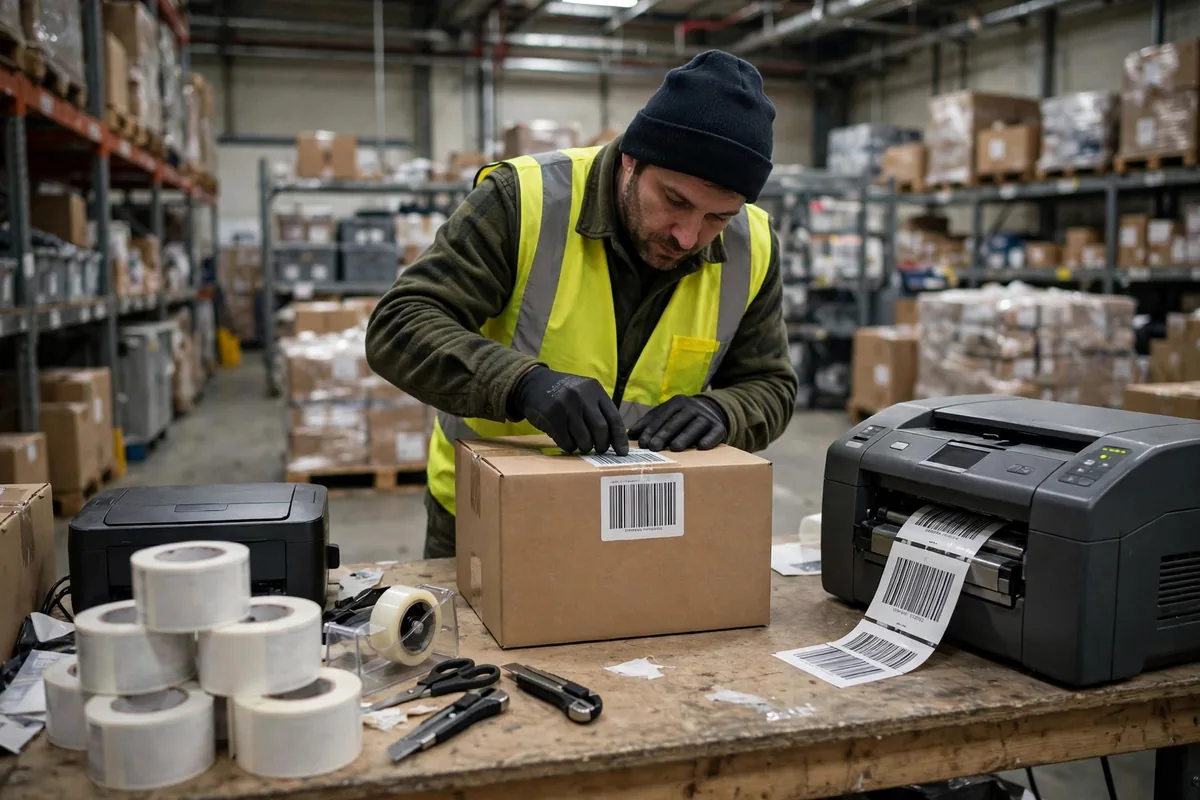
You can think of ZPL as a dialect that printers understand. Send a Zebra printer a block of ZPL code, and it knows where to put the text, where to draw the barcode, and how big and bold to make it. It sounds simple. In reality, many warehouses run on a ZPL template one person wrote by hand three years ago, and nobody dares to touch it, because changing one character might force the whole warehouse to reprint.
Start with how it works. ZPL has three ingredients: position, content, and format. Position comes from the ^FO command, which tells the printer where a field begins; content is the field itself — order number, SKU, quantity; format covers font, size, barcode type, and rotation. The printer executes the code in order, drawing the label line by line. You can understand it this way: ZPL is not printing a document, it is giving the printer instructions for drawing a picture.
In March 2024, as the technical lead for an integrator at a 3PL warehouse in East China, I watched a classic failure unfold. The customer asked for a "Fragile" line on the shipping label. The warehouse IT engineer added a field directly to the template, miscalculated the position, and the new field pushed the barcode below it outside the label boundary, where it cannot be scanned. More than 400 shipments in a whole shift had to be reprinted. Pickers, packers, and checkers all stopped and waited for labels, and that shift's outbound performance fell by 3 hours. One added line cost half a day of capacity — the price of a ZPL template with no version control.
In a ZPL Template, Separate Variables from Fixed Text First
Fields in a template fall into two kinds: fixed and variable. Fixed text is identical on every label: company name, warehouse address, handling notes. Variable text changes with every shipment: order number, recipient, SKU, quantity, barcode content. If you cannot tell the two apart, the template will fail sooner or later.
Variables should be written with ^FN field numbers and ^FD placeholders, filled in by the system at print time, never hard-coded into the template. The worst template I have seen had 200 SKU names written into the file, with conditional logic to pick between them; it was so large the printer memory nearly ran out, and each label took 4 seconds to print. Four seconds sounds trivial, but at 5,000 shipments a day it adds up to more than 5 hours waiting for the printer. That is a textbook fake requirement: work that belongs in the system was forced into the printer.
The selection boundary is clear. Under 500 shipments a day, draw templates in off-the-shelf label software and never hand-write ZPL — it is not worth it. Between 500 and 3,000 a day, ZPL templates with system-filled variables are the best-value combination: flexible, cheap, and easy to trace when something breaks. Above 3,000 a day, or with several warehouses sharing templates, you need a template management system: central storage, version numbers, change approval, and staged release. Many warehouses get stuck in the middle: volume has grown, but they still manage templates the small-warehouse way, and every change leaves the whole site holding its breath.
Here is a worked example, with assumed figures. Suppose a warehouse ships 2,000 orders a day, and one template failure forces 1,000 labels to be reprinted in half a shift. At 1.2 yuan per reprint for paper, ribbon, and labour, the direct cost is 1,200 yuan. But the real cost is the stopped line: 1,000 orders leave 3 hours late, and at an average margin of 8 yuan per order, with 10% incurring late penalties, the hidden loss can pass 800 yuan. Six such incidents a year cost more than 12,000 yuan combined, while even basic template version control costs no more than a day or two of labour. Is the money worth it? Look at one number: how many template incidents does your warehouse have in a year?
Direct Thermal or Thermal Transfer: the ZPL Template Must Follow the Consumable
A ZPL template is not finished when it is written. It has to match the consumable. Direct thermal printing darkens the label paper with heat, needs no ribbon, and costs less, but it fades with heat and sunlight, and the text can be unreadable after three months. Thermal transfer prints through a ribbon, resists heat and sunlight, and lasts far longer, but it costs more and adds one more consumable to manage.
Choosing wrong has concrete consequences. In June 2025, a cross-border e-commerce warehouse shipped everything to its overseas warehouse on direct thermal labels; the goods spent more than 40 days in a container, and by arrival the text had faded so much the labels could not be scanned. The overseas warehouse matched order numbers by hand, shipment by shipment, inbound took two extra days, and an extra exception-handling fee followed. The reverse mistake wastes money too: thermal transfer for pallet labels inside the warehouse is pointless, since they are thrown away after use and direct thermal is perfectly adequate.
Think of it like shoes: running shoes for running, rain boots for rain. No single pair covers everything. When designing a template, record the consumable type in its metadata: direct thermal or thermal transfer, which paper, and which ribbon model. Check the template before changing consumables, instead of discovering faded text and unscannable barcodes after printing.
Fonts and positioning have their own traps. ZPL built-in fonts are monospaced, and Chinese fonts must be downloaded to the printer or printed as graphics. Change a font size and the whole line's position has to be recalculated. Barcodes are even stricter: the narrow bar width, height, and quiet zone all have minimums. Bars too thin cannot be read, and a quiet zone too small makes the scanner read across lines. My rule of thumb: barcode height at least 15 millimetres, quiet zones of at least 3 millimetres on each side, print darkness set one notch above middle, then print 10 test labels and scan each one. If the pass rate is not 100%, do not go live.
Template Version Control: Change One Thing Without Reprinting the Warehouse
In the end, template failures come back to version control. A warehouse without it changes templates on nerve alone: editing the production template file directly and praying nothing breaks. When it breaks, there is no old version to roll back to, because it was overwritten, and the only option is rewriting from memory.
The correct approach has four steps. First, store templates centrally, one number per template, such as ZPL-OUT-001, with versions V1.0, V1.1, V2.0, and a change log recording what changed, who changed it, and why. Second, test every change on a test printer first: print 20 labels with real data, scan them, stick them on cartons, and run the full checking flow before release. Third, release in stages: one team or one customer gets the new template first, and only after a full shift without problems does the whole warehouse adopt it. Fourth, keep old versions for at least 3 months, so a problem can be rolled back in 5 minutes instead of turning into redevelopment.
Here is the counterintuitive part: the more "flexible" a template is, the more dangerous it becomes. Some warehouses leave a dozen optional fields in a template for the operator to tick by hand at print time. One wrong tick and a whole batch of labels is wrong. Flexibility belongs in the system, where order data decides automatically what to print and what to leave out, not in front of the printer where a person chooses. Every manual choice at the printer is another chance to make a mistake.
Font downloads are another trap. Chinese labels need a Chinese font downloaded into printer memory, and when the font file changes, the font number referenced in the template may no longer match, printing nothing but garbled blocks. Before changing a font, verify on a test printer that the font number and the template reference agree, then push to production. Do not skip this step. I have seen a warehouse where a font supplier change left half the site's labels printing as squares, and the line stopped for two hours before it recovered.
To put it plainly: ZPL templates are not technically hard. The hard part is treating them as real assets. A template is a production tool the warehouse uses every day, as worthy of serious management as racking and forklifts. Changing one thing without reprinting the whole warehouse does not depend on luck. It depends on four things: versions, testing, staged release, and rollback. Is the money worth it? Look at one number: how many template incidents has your warehouse had this year? One is enough to justify building the process.
By Da Liu, Automation Engineer