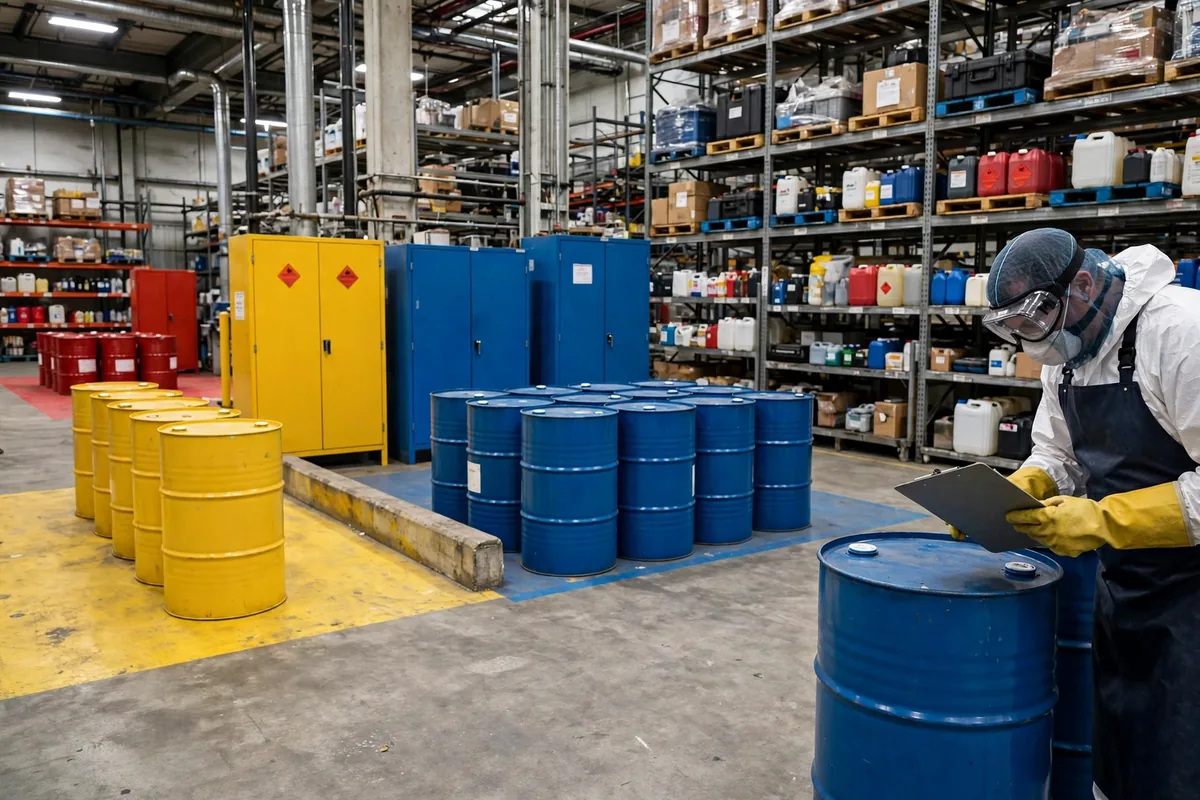
Short answer: no, not every SKU needs one — but if your warehouse stores hazardous chemicals, warehouse SDS safety data sheet requirements are not optional, and a sheet your team cannot find in the moment is the same as no sheet at all. I say that at the start of every implementation project, because I keep watching teams spend their energy in the wrong place: either building a file for all several thousand SKUs until everyone burns out, or keeping a few sheets in the manager's office drawer where nobody on the floor can reach them.
I have seen this exact failure three times, and the script barely changes. A client takes on a new product line that includes chemicals. Sales promises the goods are already on the way. Nobody in the warehouse has confirmed whether the products count as hazardous chemicals. The freight arrives, it goes into a rack, and only then does the floor supervisor ask me: where does the SDS live, and does the system need to link to it? Nobody can answer. That is the moment I know the go-live night checklist just gained a full extra page.
What Warehouse SDS Safety Data Sheet Requirements Actually Cover
Warehouse SDS safety data sheet requirements are not about how many SKUs you carry. They are about whether your people can be exposed to hazardous chemicals. In the United States, the rule comes from the Occupational Safety and Health Administration's Hazard Communication standard, and its core idea is simple: workers have the right to know what hazards they are handling and what to do when something goes wrong. The SDS is the document that carries that right — one sheet per chemical, covering hazards, protection, first aid, and spill response.
Once you see it that way, the decision gets much easier. Paper towels, cardboard boxes, and plastic bins do not need an SDS. Cleaners, paints, adhesives, batteries, aerosols, and industrial lubricants usually do. When you are unsure, do not guess. Ask the supplier for the SDS and decide from the hazard information on the sheet itself. If a supplier cannot provide one, do not receive the goods. Open that door once, and the problems that follow are far bigger than a delayed receipt.
Here is the counterintuitive part: more SDS files do not mean better compliance. I once walked into a warehouse with a filing cabinet stuffed with over a thousand SDS documents, all neatly printed. A quick check showed that half of them were expired versions, and dozens belonged to products that had been discontinued years earlier. The bigger the pile, the higher the maintenance cost and the higher the chance of error. Compliance is not measured in page count. It is measured by whether every sheet is current, matches a product actually in stock, and can be found by the people on the floor.
The Go-Live Night Checklist: Four Steps That Put SDS on the Location
Step one is to screen everything you stock. Pull a full SKU list and have suppliers confirm, item by item, whether each product is a hazardous chemical. For the ones that are, collect the SDS file and its version number at the same time. In the fall of 2024, I did this for a third-party logistics warehouse in Ontario, California, with close to 1,800 live SKUs. Only a little over 60 actually needed an SDS — under a tenth of the total. The screening took two afternoons. It saved months of pointless maintenance afterward.
Step two is to set a storage rule for every product that needs one. My approach is to zone by hazard type: flammables in one area, corrosives in another, with a printed copy of the SDS fixed at the entrance to each zone and the electronic copy attached to the product master data in the WMS. When an operator scans a pick, the system should show whether that item has an SDS and which version it is. The printed copy and the electronic copy must be the same version. When a version changes, replace both at once, and destroy the old printed copy on the spot. Do not keep it "just in case."
Step three is to name the person who owns updates. An SDS program is not a one-time project. Suppliers change formulas and packaging, and the sheet changes with them. Write the responsibility into a job description: receiving logs each new version, the safety lead verifies it and swaps it in, and the WMS administrator updates the system attachment. Without a named owner, the whole setup falls apart within three months. In every project I have run where the SDS files were still complete three months after go-live, someone was spending a fixed half hour every week reconciling them.
Step four is to run a live drill. Pick a realistic scenario: a bottle of cleaner leaks on a rack. Can the operator on duty find the right SDS within a few minutes and follow its instructions? In early 2025, a client warehouse near Dallas, Texas, ran exactly this drill, and the picker had to visit three different places before finding the folder — which held an outdated version. After that drill, they moved the SDS next to the spill kit. The second drill took under two minutes. A drill that exposes a problem is not a failure. Never running a drill is.
The math is small, and that is the point. Take a mid-size warehouse with 80 products that need an SDS. At roughly half an hour per sheet for the first round of preparation and system linking, the one-time effort is about 40 hours. Ongoing maintenance at half an hour a week comes to about 26 hours a year. Compare that with a last-minute scramble when an inspection or an incident forces you to rebuild the whole set at once — usually double the time, plus downtime and rework. I walk clients through that calculation at every project kickoff. The numbers are modest, but they are enough to show that doing it early beats doing it late.
Three Failures I Have Seen Three Times
The first failure is treating the SDS as a purchasing document: requested once when the product is bought, then forgotten. The supplier changes the formula, the new SDS lands in a buyer's inbox, and nobody in the warehouse ever hears about it. The fix is a single fixed channel: purchasing forwards every new version to the safety lead on the day it arrives, and it never sits in one person's email.
The second failure is having the electronic copy but no paper copy, or the other way around. The system holds the latest version, but the network is down or the tablet battery is dead, and the operator is stuck. My baseline is that high-risk zones must always have a printed copy. Lower-risk areas can rely on the electronic copy, but the path to it must be covered in training. Nobody should have to guess where to look.
The third failure is onboarding that never mentions the SDS at all. New hires sit through hours of policy training and never learn where the sheets are, what they look like, or what to do first when something spills. The training does not need to be long. Fifteen minutes is enough: walk the new hire to the zone entrance, point at the folder, and say that this is the first thing to open, then make the call. People remember what they have been shown in person.
Compliance work fails when it is treated as paperwork. The real value of a safety data sheet is not in the filing cabinet. It is in those few minutes after something goes wrong, when an employee needs an answer fast. Walk your own floor this week, pick a location that holds a chemical product, and ask the person on duty where its SDS is. If they cannot answer in three seconds, this article has done its job. For the exact clauses and the latest wording, check the official OSHA website and treat that as the authority.
By Lin Xiao, WMS Implementation Consultant