Here is the verdict up front: you can upgrade a WCS without stopping the warehouse, but only if two conditions are both met — you upgrade zone by zone in a rolling sequence, and you have rehearsed the rollback the night before go-live, for real. I have seen three projects that did the first and skipped the second. All three went down. A beautiful upgrade plan means nothing if nobody has ever pressed the rollback button.
(The times, places, and numbers in the stories below are values from projects I have worked on.)
Why WCS upgrades are the ones that blow up
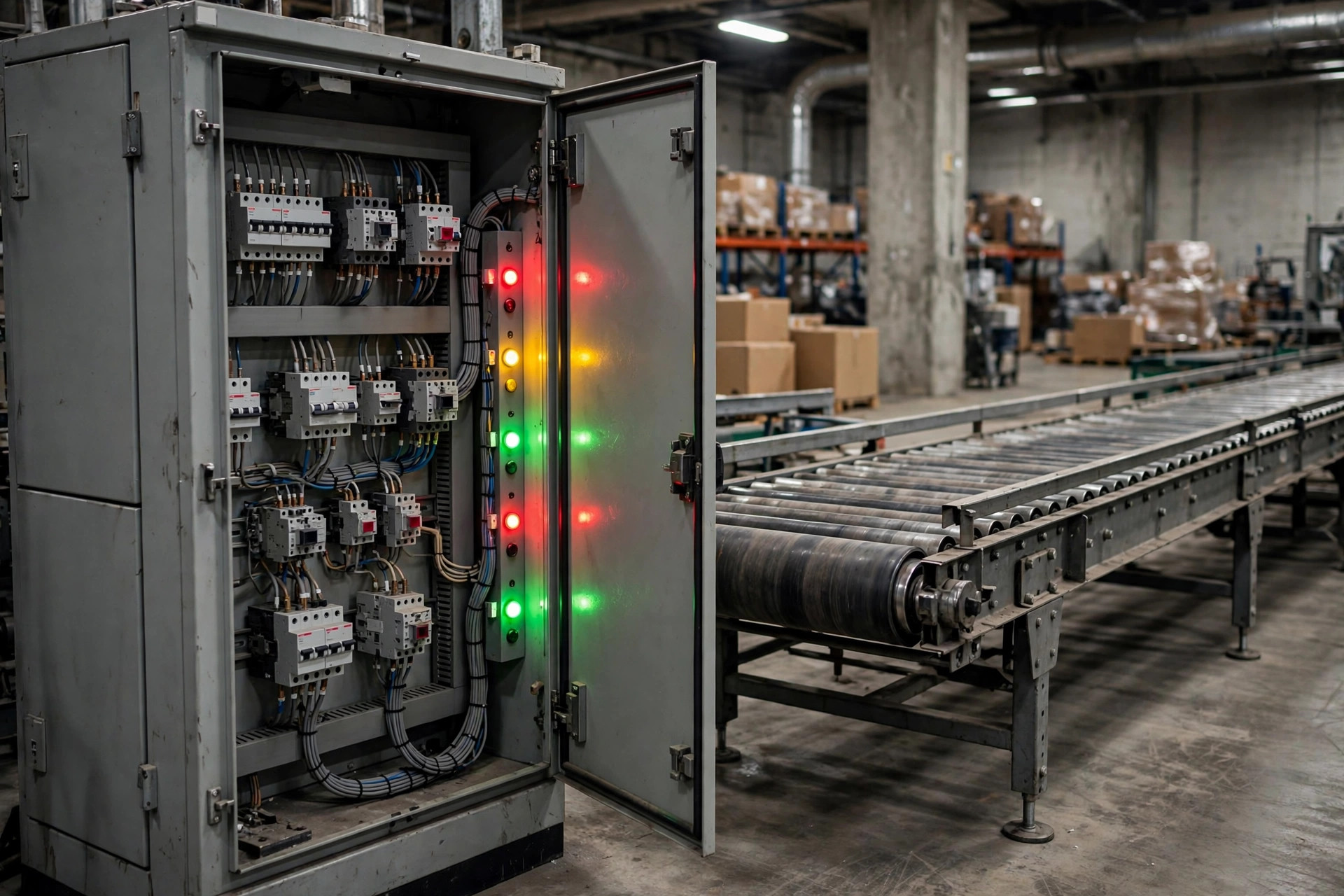
A WMS manages documents. A WCS manages machines. When a WMS upgrade fails, orders stop flowing and the floor can fall back on manual work for a few hours. When a WCS goes down, conveyors, sorters, and cranes all freeze at once, and your building turns into a very expensive parking lot. Upgrading a WCS is like swapping the engine of a car at highway speed.
Late 2023, a 3PL distribution center in the American Midwest wanted a WCS upgrade before peak season. The integrator picked a weekend window and cut the whole site over at once. Cutover finished at 2 a.m.; at 6 a.m. the first wave launched, and half the sorter's chutes had address mappings that no longer matched the new protocol. Parcels went to the wrong chutes by the hundreds. It took until 1 p.m. to restore the old version — 11 hours of dead floor — and three days of overtime shifts to clear the backlog. I was brought in for the cleanup. The post-mortem was one sentence: no zone-by-zone validation, no rollback package, one push for the entire building. That is not an upgrade. That is gambling.
The rolling upgrade, in 8 steps
The logic of zero downtime is one sentence: never let the old and new versions command the same equipment at the same time. Split the building into independent physical zones, upgrade one zone at a time, watch it, confirm it is healthy, then move to the next.
- Freeze the baseline. 72 hours before the upgrade, freeze all configuration changes. Export the full configuration, address mapping tables, and PLC point lists. Keep two copies: one at the upgrade console, one offline.
- Build a shadow environment. Run the upgrade package end to end against production configuration in a test environment. Focus on device protocol handshakes and address mapping. Run at least one full wave.
- Pick the pilot zone. Start where a failure hurts least — usually returns or a low-flow area. Never start with the main sort line.
- Drain the zone. In the gap between waves, clear every in-transit carton out of the pilot zone and confirm zero open tasks before you touch anything. I have watched a team skip this to save time: old and new versions issued conflicting commands to the same cartons, and the whole line jammed solid.
- Upgrade the zone. Stop the zone's equipment services, upgrade the WCS node, restart, run an empty self-test, then push 20 to 50 test cartons through the full process.
- Watch it. Run the pilot zone for 2 full waves and stare at three metrics: sort accuracy, equipment alarm count, wave on-time rate. If any one of them drifts more than 5% off baseline, stop and investigate. No "let's see how it goes."
- Roll forward. Repeat steps 4 through 6 for each zone, main sort line last. Sign the upgrade log after every zone.
- Confirm everything. After all zones are done, run 24 hours before declaring success, with the rollback package still hot.
Which strategy to pick:
| Strategy | Downtime | Risk | Fits |
|---|---|---|---|
| Big-bang cutover | Needs a downtime window | High — one failure takes everything | Small sites, simple equipment, downtime acceptable |
| Rolling zone upgrade | Near zero (brief per-zone pauses) | Medium — problems stay inside one zone | Most automated warehouses |
| Active-standby (blue-green) | Zero | Low, but highest cost | 24/7 hubs that cannot stop |
My verdict: unless your site is small enough that one WCS runs every device, pick the rolling upgrade. The time a big-bang cutover saves is never enough to pay for one unplanned stoppage.
The rollback plan: worth rehearsing more than the upgrade
Here is the contrarian take: a failed upgrade is not the scary part. The scary part is that the rollback gets rehearsed far less than the upgrade. In my projects, everyone tests the upgrade package three times, while the rollback steps often live only in a document — which nobody can find at 3 a.m. when things are actually on fire.
Mid-2024, an e-commerce warehouse I was supporting in China hit a conveyor address-mapping fault halfway through an upgrade. The team triggered rollback within 15 minutes: back to the old WCS version, restore the frozen pre-upgrade configuration baseline, restart equipment zone by zone from the checklist. Only one wave was delayed that night; by 6 a.m. everything was normal. Why were they so decisive? Because they had rehearsed the rollback the night before go-live, and the measured time from pressing the button to full recovery was 22 minutes. That number gave everyone confidence.
The go-live-night rollback checklist — check every item:
- Rollback package and old-version media staged, hash-verified, not "probably there"
- Pre-upgrade configuration baseline, address maps, and database snapshots each stored twice, one copy offline
- Rollback triggers written down: which metric, what threshold, who has authority to call it — no debating on the night
- Rollback steps printed on paper and taped to the console, readable with no power and no network
- Equipment restart sequence on its own page per zone — wrong order jams the line a second time
- Rollback rehearsed end to end in the shadow environment, actual time recorded
- Vendor support line confirmed staffed by a human, not voicemail
Do the math: a rollback rehearsal costs half a night shift of labor plus two hours of shadow-environment time. One unplanned stoppage with no rollback plan, in my project experience, costs a mid-size automated warehouse tens of thousands of dollars per hour in direct losses — before customer claims and reputation damage. You can do the rest of the arithmetic yourself.

Go-live night checklist: print it, check it off
This is the list I hand out the night before every go-live, taped to the war-room wall:
- Configuration baseline frozen for 72 hours, zero changes logged
- Shadow environment has run the upgrade package and the rollback package, one full pass each
- Pilot zone selected, drain plan confirmed
- Upgrade sequence and owner per zone signed off
- Baseline values recorded: sort accuracy, alarm count, wave on-time rate
- Rollback triggers and the decision-maker confirmed in writing
- Paper rollback steps taped to the console
- Vendor support line tested, human confirmed on duty
- Comms between the upgrade console and the floor tested
- Operations briefed on each zone's brief pause — no surprises
One thing you can do tomorrow: ask your WCS vendor when the rollback package was last updated. If the answer is "nobody has touched it in a long time," then your next upgrade's biggest risk is not in the upgrade package — it is in the rollback button nobody has ever pressed. Schedule the rollback rehearsal into your next change window. It matters ten times more than studying the new features.
By Lin Xiao, WMS Implementation Consultant